Prediction
Once an ML mapper is configured for a window, the form shows a Predict button alongside the standard Submit button. Users can fill in the source fields and get a model prediction before deciding to submit.
Using the Predict Button
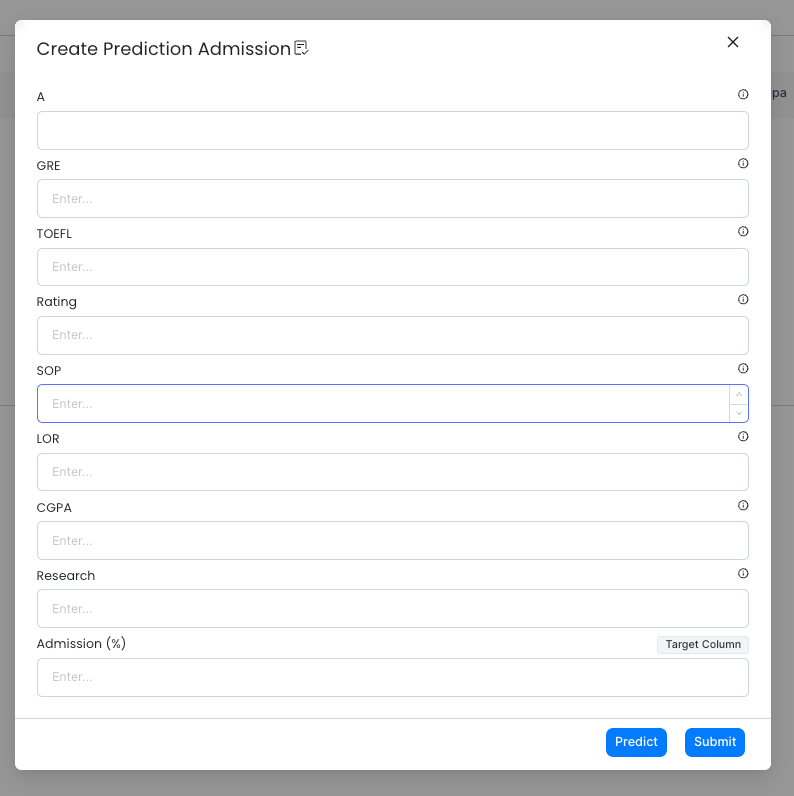
- Open the form that has an ML mapper configured.
- Fill in the source column fields (the model inputs).
- Click Predict. The target column field is automatically filled with the model's prediction.
- If the target column was set to Editable, you can adjust the predicted value before submitting.
- Click Submit to save the record.
The target column is marked with a Target Column label in the form so it is easy to identify.