Access Manager
The Access Manager controls who can view and run a process or trigger. The process owner always retains full permissions. Additional access can be granted to all users, specific roles, or specific users.
Right-click a process or trigger node on the canvas and select Permissions to open the Permission Manager dialog.
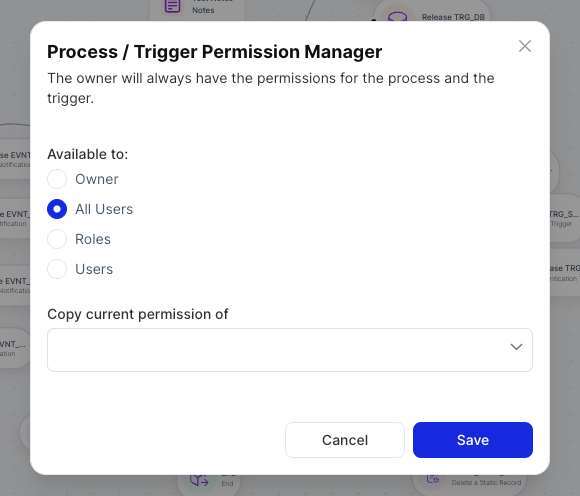
Available To
Select who should have access:
| Option | Description |
|---|---|
| Owner | Only the process owner has access |
| All Users | Every user in the system can access this process or trigger |
| Roles | Grant access to one or more specific roles |
| Users | Grant access to specific individual users |
Copy Current Permission Of
Use the Copy current permission of dropdown to copy the permission settings from another existing process or trigger and apply them here. This is useful when a new process should have the same access rules as an existing one.
Click Save to apply the permissions.