Row Actions
Row actions appear in the ⋮ menu on each record row. Toggle each one from the Actions > Row tab in the View Manager.
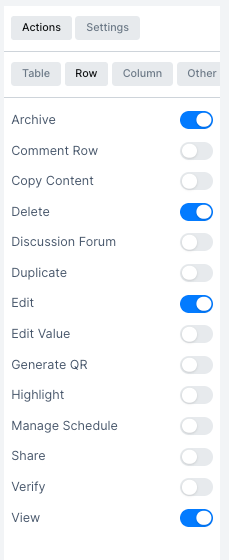
| Action | Description |
|---|---|
| Archive | Moves the record to the archive; it no longer appears in the main table |
| Comment Row | Add comments to a specific record |
| Copy Content | Copy the record's field values to the clipboard |
| Delete | Permanently remove the record |
| Discussion Forum | Open a chat thread for the record where users can post messages and attachments |
| Duplicate | Create a copy of the record |
| Edit | Open the record for editing |
| Edit Value | Edit a specific field value inline without opening the full form |
| Generate QR | Generate a QR code for the record |
| Highlight | Color-highlight the row based on configurable conditions |
| Manage Schedule | Add schedule or appointment entries linked to the record |
| Share | Share the record via link or email |
| Verify | Mark the record as verified |
| View | Open a read-only detail view of the record |