Table Actions
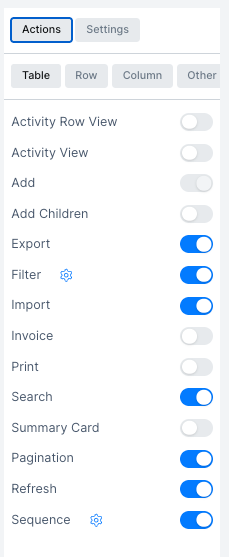
Table actions appear in the table header and toolbar. Toggle each one on or off from the Actions > Table tab in the View Manager.
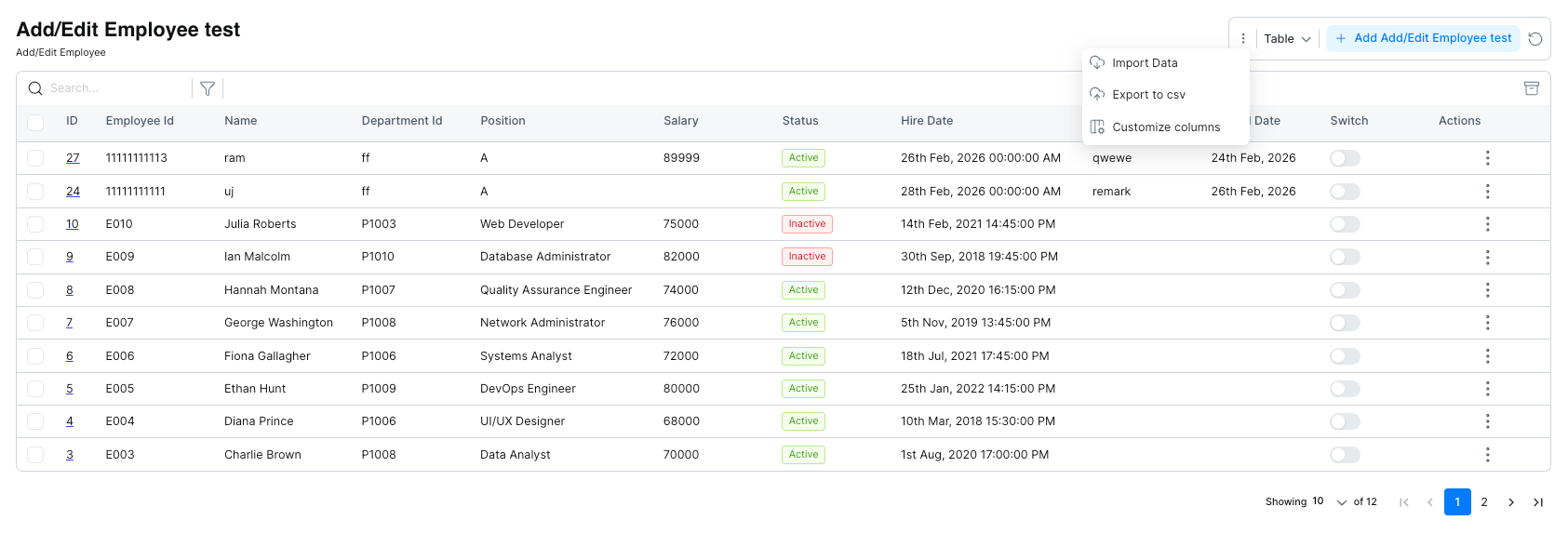
Some actions also appear in the ⋮ menu inside the live table view.
| Action | Description |
|---|---|
| Activity Row View | Show a per-row activity log |
| Activity View | Show a full activity log for the window |
| Add | Button to add a new record |
| Add Children | Add child records linked to a parent record |
| Export | Export table data to CSV |
| Filter | Show filter controls above the table |
| Import | Import records from a CSV or file |
| Invoice | Enable invoice generation for records |
| Print the current table view | |
| Search | Show a search bar above the table |
| Summary Card | Show a summary panel with aggregate data |
| Pagination | Show page navigation at the bottom of the table |
| Refresh | Show a refresh button to reload data |
| Sequence | Enable record sequencing/ordering |
Actions with Settings
Some actions have a settings icon (⚙) that opens a configuration dialog. For example, Filter lets you choose which columns are available in the filter panel.
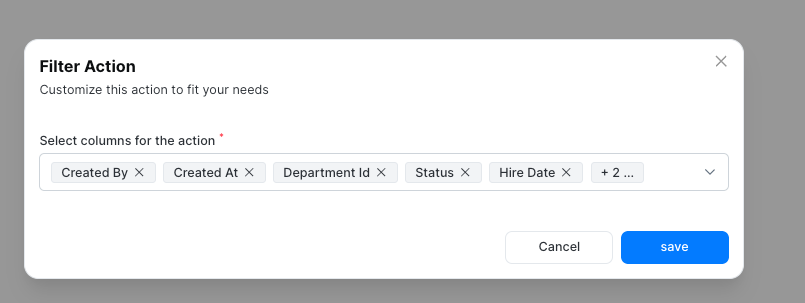
Select the columns you want to make filterable and click Save.