External Integration
Overview
As a user with system configuration privileges, you can manage external integrations to enable additional services in the system.
Viewing External Integrations
When logged in as a user with system configuration privileges and on the External Integration page, you will see a list of all available external integrations.

Editing the Stripe Integration
Administrators can update the Stripe integration configuration if the API credentials or secret keys need to be changed.
Steps to Edit the Stripe Integration
Navigate to External Integrations
Log in with system configuration privileges and open the External Integration page.
Select the Stripe Integration
Locate Stripe in the list of available integrations.
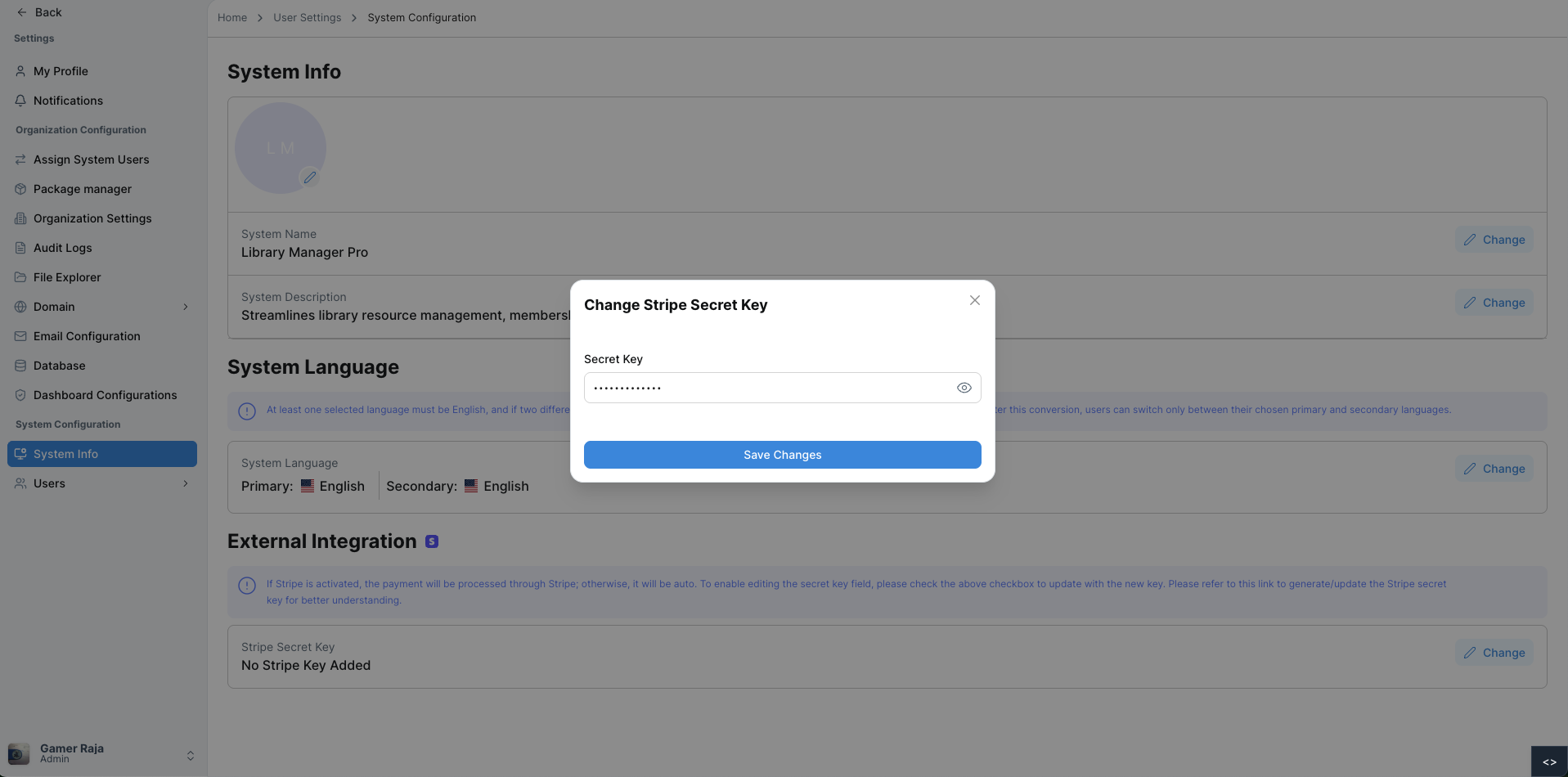
Click Change
Click the Change button to open the integration configuration.
Update the Secret Key
Enter the new Stripe Secret Key in the required field.
Save Changes
Click Save Changes to apply the updated configuration.
Once saved, the system will update the Stripe integration and a confirmation message will appear indicating the changes were successful.
For additional assistance or more detailed instructions, please refer to the help section or contact support.