Handlebars
The Handlebars view lets you build a fully custom card layout using HTML and CSS with Handlebars template syntax. Field values are injected using {{fieldName}} expressions.
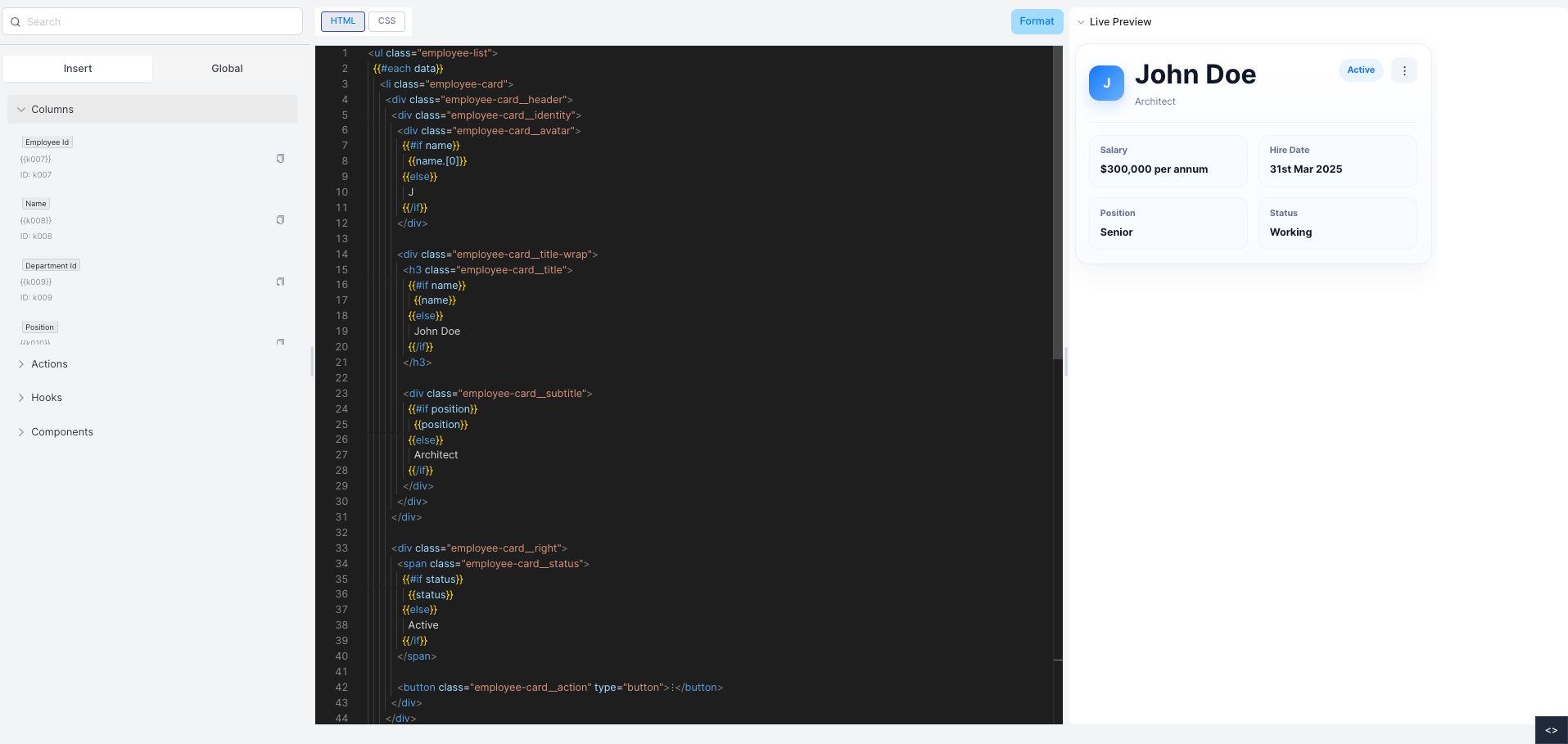
Editor
The editor has two panels:
Left panel:
- Insert / Global tabs — toggle between inserting field tokens or writing global styles
- Columns — lists all available fields with their token syntax (e.g.
{{name}}) for drag-and-drop insertion - Actions, Hooks, Components — additional insertable elements
Center panel:
- HTML and CSS tabs for editing the template
- Format button to auto-format the code
Right panel:
- Live Preview — updates in real time as you edit the template
Template Syntax
Use {{fieldName}} to output a field value. Use {{#if fieldName}} ... {{else}} ... {{/if}} for conditional rendering. Use {{#each data}} ... {{/each}} to iterate over records.