Package Manager
Overview
The Package Manager allows Organization Owners to:
- View active plan details
- Track system usage
- View available packages
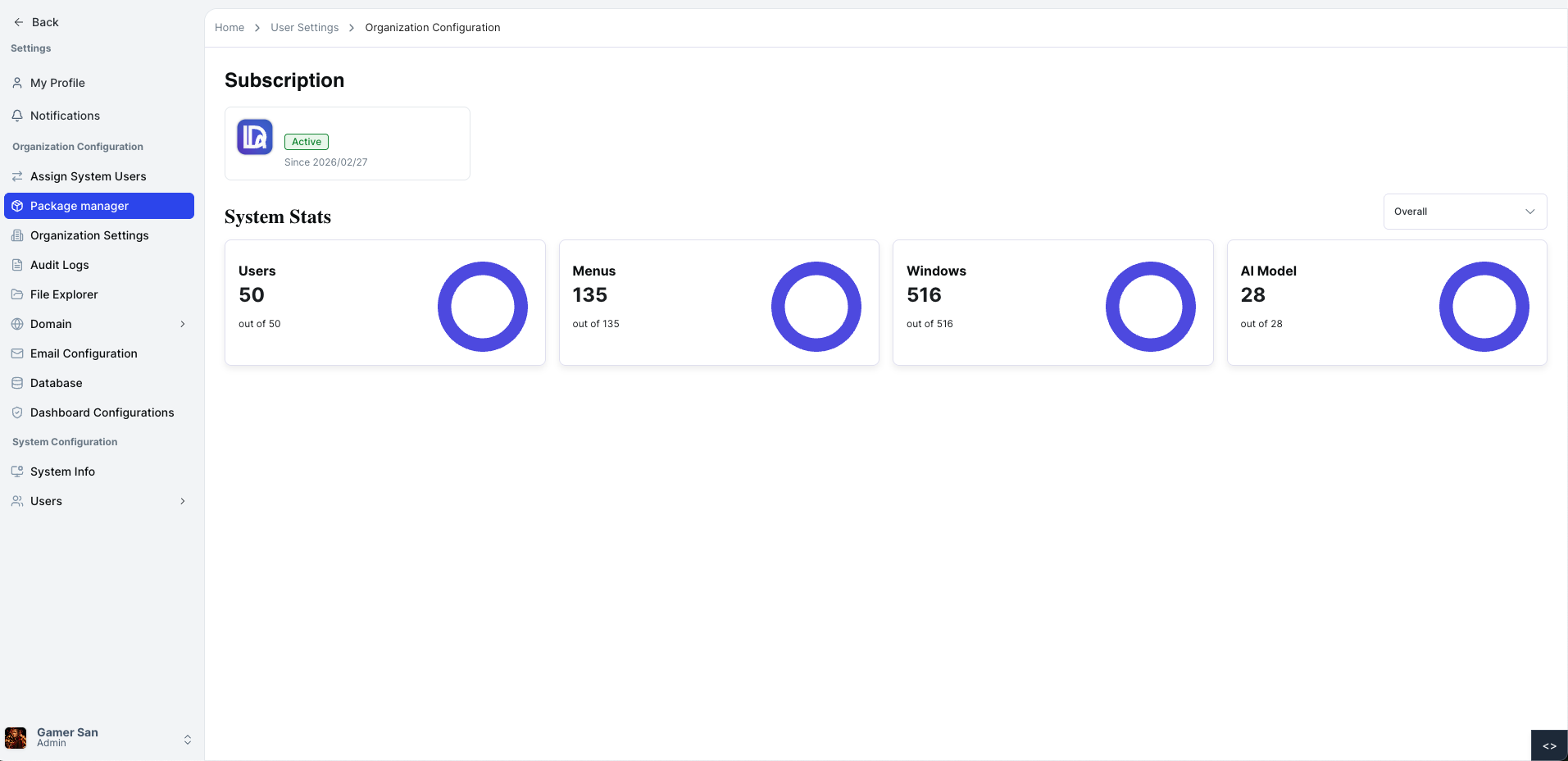
Viewing Active Plan Details
When you open the Package Manager page, you will see:
- Active plan name
- Subscription start date
- Expiry date
- Package tracking information
- System usage breakdown
Each system displays:
- Number of users
- Number of menus
- Number of windows
- Number of AI models
The active plan section gives a complete overview of subscription status and system usage limits.
Package Tracking
The Package Tracking section provides visibility into system usage limits.
- Each system shows:
- Menu count
- Window count
- AI model count
This helps monitor resource consumption based on your current plan.
💡
For additional assistance, please refer to the help section or contact support.